
Guide
See contacts on a map on iPhone
Mappamory puts the contacts you choose and the places connected to them on one map. Add a person and save a record, then return to Map to browse people and records by location.
- 01
Add or import a person
Open People. Tap the plus button to add a person manually, or press and drag up on it to choose contacts to import. Mappamory receives only the contacts you select and saves them only after you confirm.
- 02
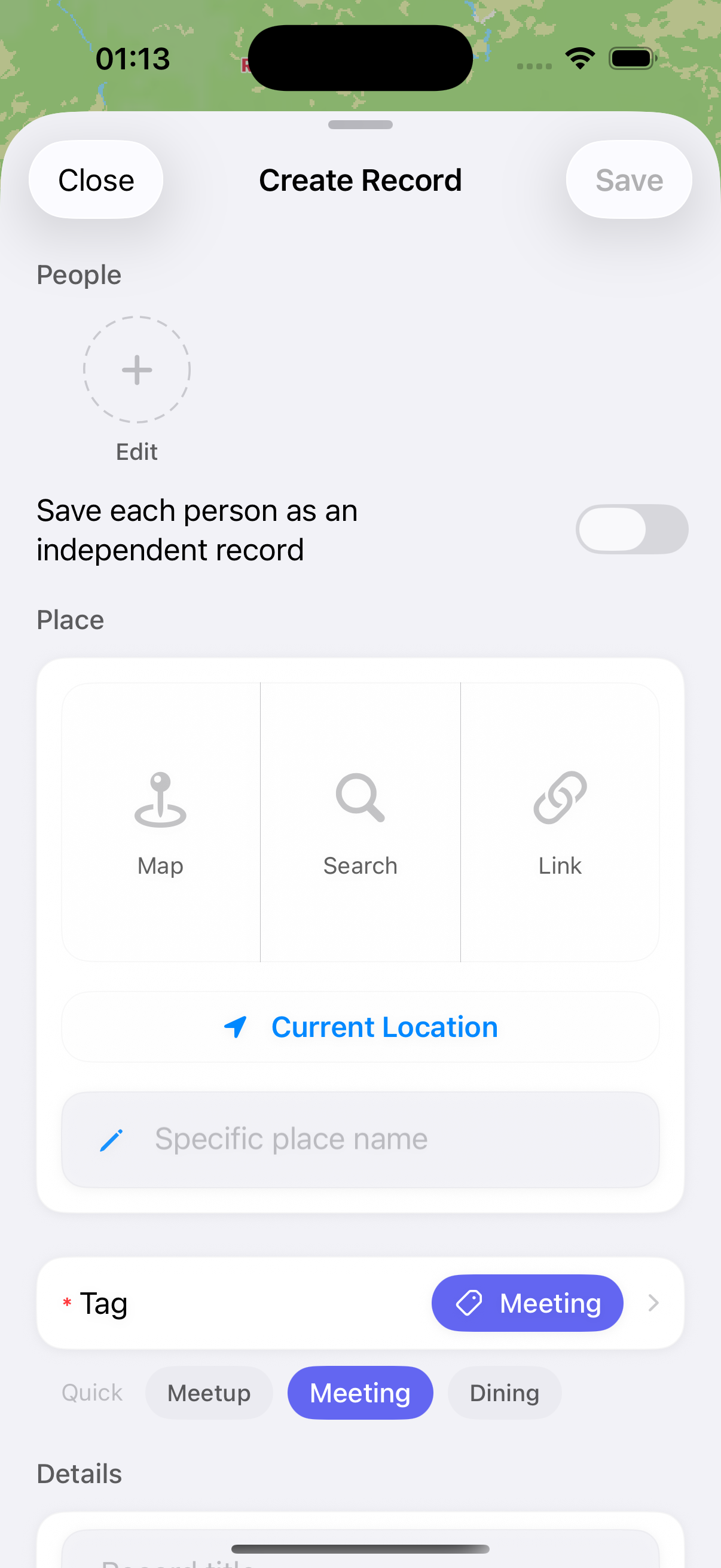
Save a place record
In Map, tap the plus button, choose the people and place, then save. A place can be a hometown, school, workplace, or somewhere you went together.
- 03
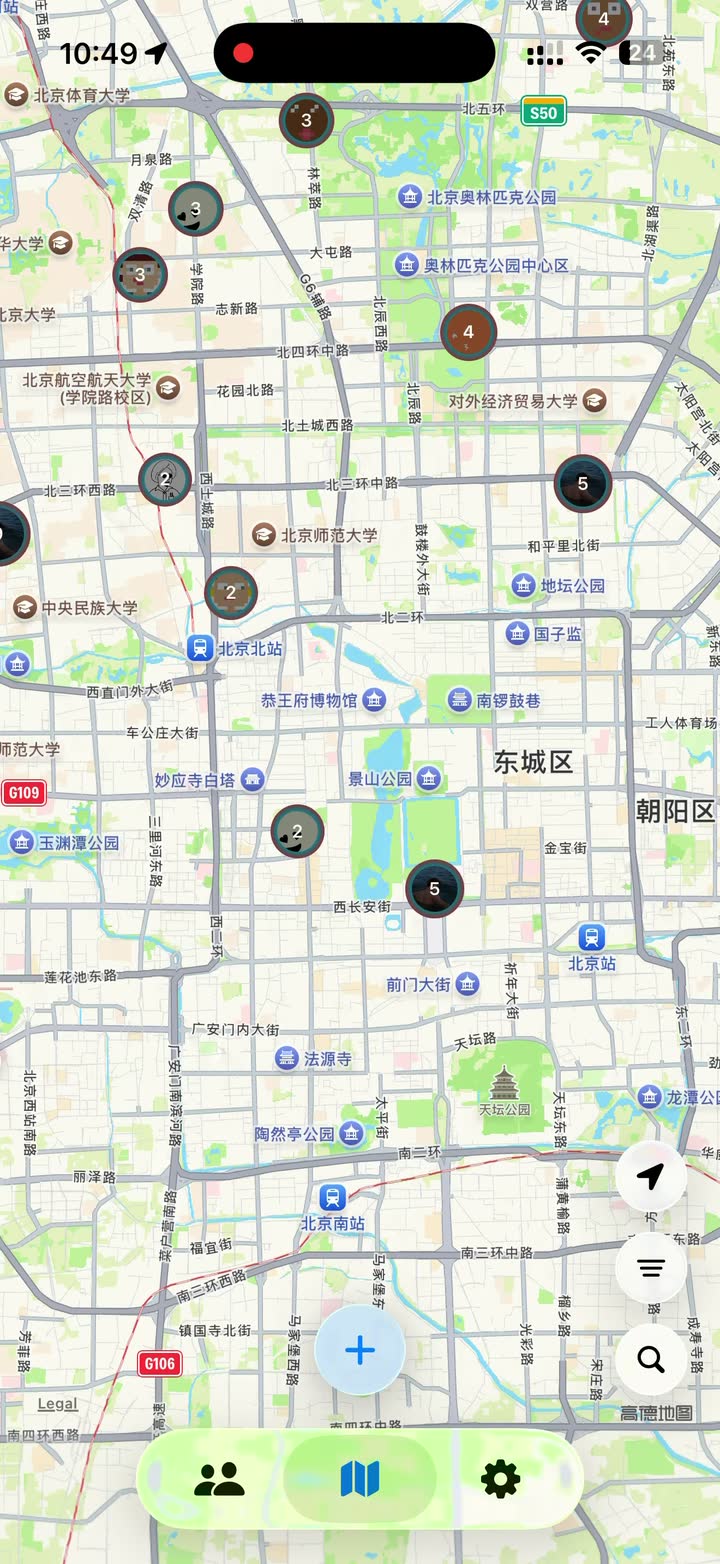
Return to Map
Saved people appear at their related places. Zoom out to browse cities, then tap an avatar or cluster to open the related records.
This is not live location sharing
Mappamory shows only the places you save. It does not show a contact’s live location or track anyone’s movements.
Download the app or read the full guide
The full guide also covers search, filters, photos, and local backups.